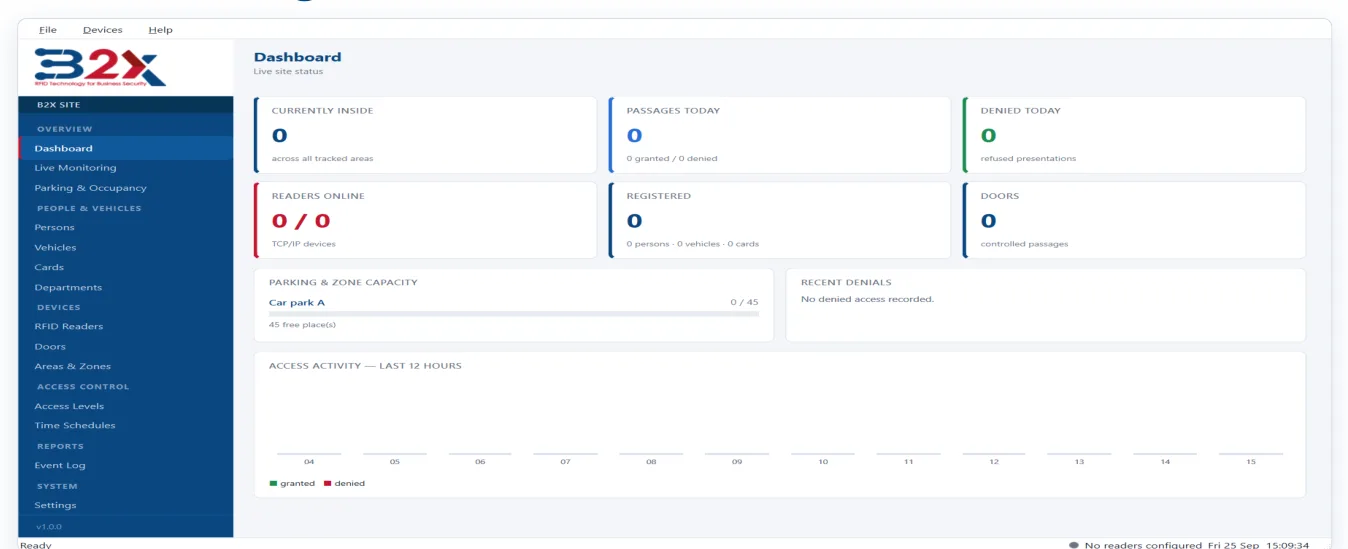
A Windows application that supervises your Hopeland HZ-100 UHF readers, decides who may pass, drives the door and keeps a record of every presentation.
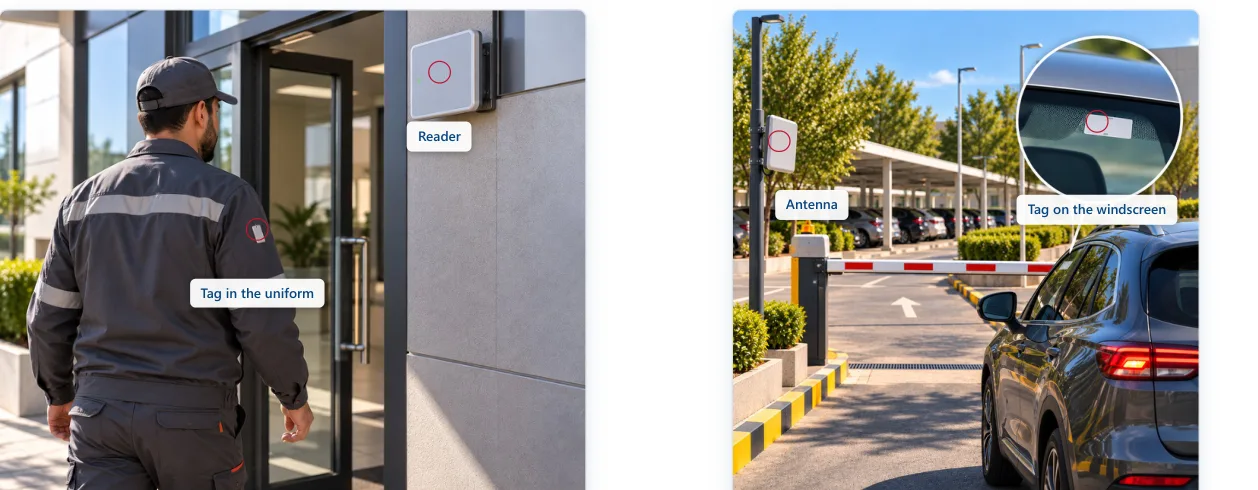
B2X Access runs on an ordinary Windows PC and supervises Hopeland HZ-100 UHF readers over your network. UHF tags are read at several metres: a driver keeps both hands on the wheel, a delivery crew keeps hold of the boxes.
Every decision is logged with its reason, searchable and exportable. And the readers keep opening doors for authorised tags even with the PC switched off.
KEY FEATURES
Antenna, signal, debounce, door state, lockdown, card, holder, access level, schedule, anti-passback and capacity — the first rule that refuses is logged as the reason.
No reader, one or several per direction; each reader point is tied to specific antenna ports, so one four-port reader can serve four directions.
Employees, contractors, visitors and residents with photo, department and validity period; vehicles with plate, make and model.
The card dialog listens to the readers live and picks the strongest tag. Already-issued tags are flagged and the factory TID is captured.
Occupancy per zone, capacity with reserved places, refusal when full, warning level and manual check-out.
Every presentation as it happens with holder, door, direction and verdict; filter and export the log to CSV.
Drive a relay from the reader's GPO output, or present Wiegand 26 / 34 / 66-bit to an existing access control panel — per reader.
A push button on the reader's GPI input releases the door through GPO, logged like any other passage.
A whitelist held in each reader keeps doors opening for listed tags even with the PC off. Schedules, anti-passback and capacity pause until it returns.
ON SITE
REQUIREMENTS & DELIVERY
| PC | Windows 10 or 11, 64-bit; 4 GB RAM is ample; screen 1440×900 or larger |
|---|---|
| Database | A single file (nothing to install) or MySQL 8 / MariaDB 10.6+ when several workstations share a site |
| Readers | Hopeland HZ-100 series over TCP/IP, any number, up to four antenna ports each |
| Door hardware | A relay driven from the reader's GPO output, or an existing access control panel on Wiegand |
| Network | Wired Ethernet to the readers, fixed IP addresses |
| Installation | A single setup file, per-user install with no administrator prompt; automatic start at sign-in; upgrades keep your settings and data |
| Languages | English, French and Arabic (fully mirrored right-to-left) |
| No hardware yet? | A simulation mode runs the entire application with no readers — for training and demonstration |
FREQUENTLY ASKED QUESTIONS
Hopeland HZ-100 series UHF readers, reachable over TCP/IP, with up to four antenna ports each.
Yes. In Wiegand mode B2X Access presents the card number to your panel (26, 34 or 66 bits) and the panel keeps the final say. A reader does either relay or Wiegand, never both.
Readers keep opening doors for tags on the whitelist pushed to them. The event log, schedules, anti-passback and zone capacity pause until the PC returns, so push the list again after every change.